Control Panel : Upload a Profile Photo

Updated more than a week ago

This answer shows how to upload a new profile photo.

Need help? Email your photo to support. We'll post the photo for you.

Instructions

  1. Open the AgentWebsite Control Panel.
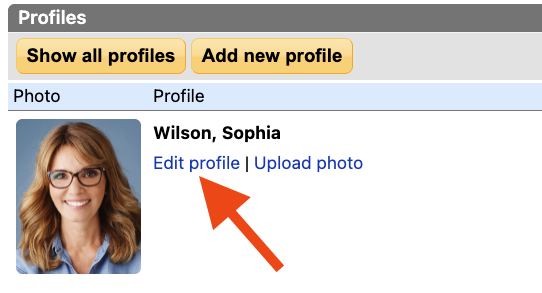
  2. Click Profiles. The list of profiles will be displayed.
  3. Click Upload photo

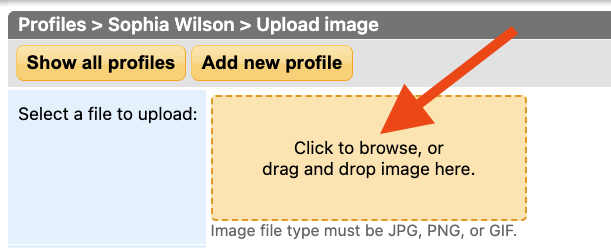
  4. Find the image file on your computer, then drag and drop it on the upload box. Or click the box to find the image file.
     
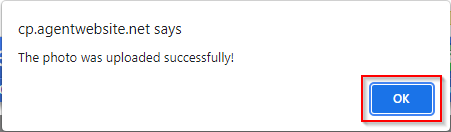
  5. The image will be automatically uploaded.
  6. Click OK.
  7. Open your website and check your work. If you don't see your new photo, reload the page. Learn how.

Need Help With This? Contact Us!


20+ YEARS OF QUALITY SERVICE WITH A SMILE

@ 2026 AgentWebsite  Terms of Use | Privacy | Proud member of East TN REALTORS®