Updated more than a week ago
Auto-responders send an automatic pre-configured email message to visitors who inquire on your website.
This article applies to non-IDX inquiries and auto-responders only.
There are nine types of auto-responder, one for each type of inquiry. (buyer, seller, relo, etc.)
Auto-responders can be disabled individually, by type.
For example, to disable the CMA autoresponder:
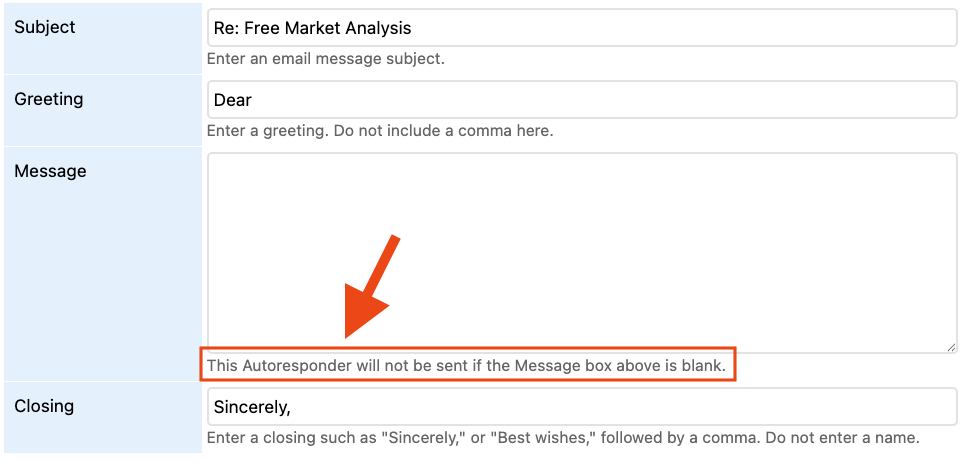
After making this change, visitors who submit a CMA request on your website will not receive an automatic email reply.



20+ YEARS OF QUALITY SERVICE WITH A SMILE
@ 2026 AgentWebsite Website Terms | Service Terms | Privacy Policy | Proud member of East TN REALTORS®
